AI Workflows: 5 Examples One Person Can Run in 2026
Five AI workflows one person can genuinely automate in 2026, three that are demos dressed as products, and a four-question test to tell them apart.

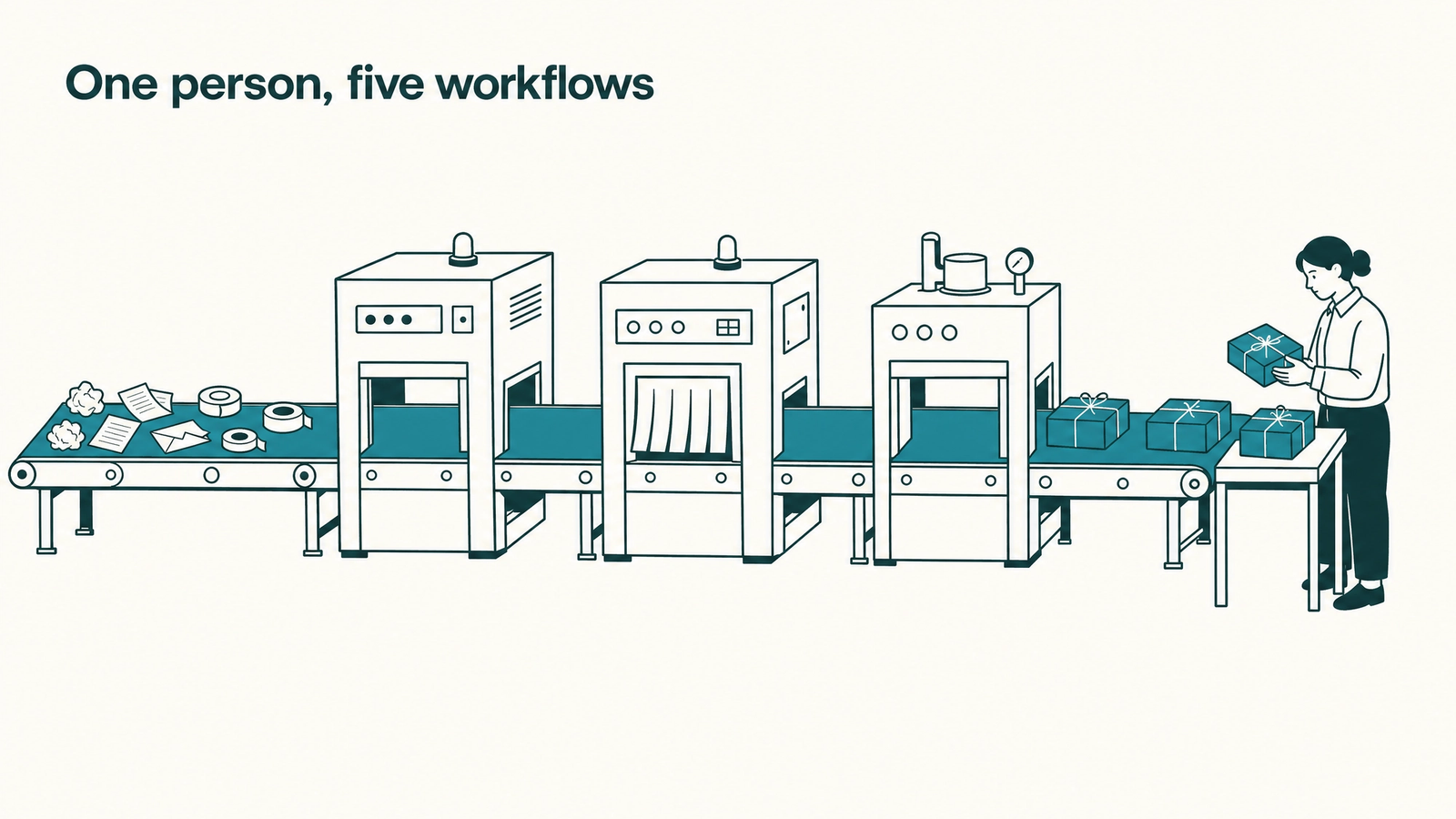
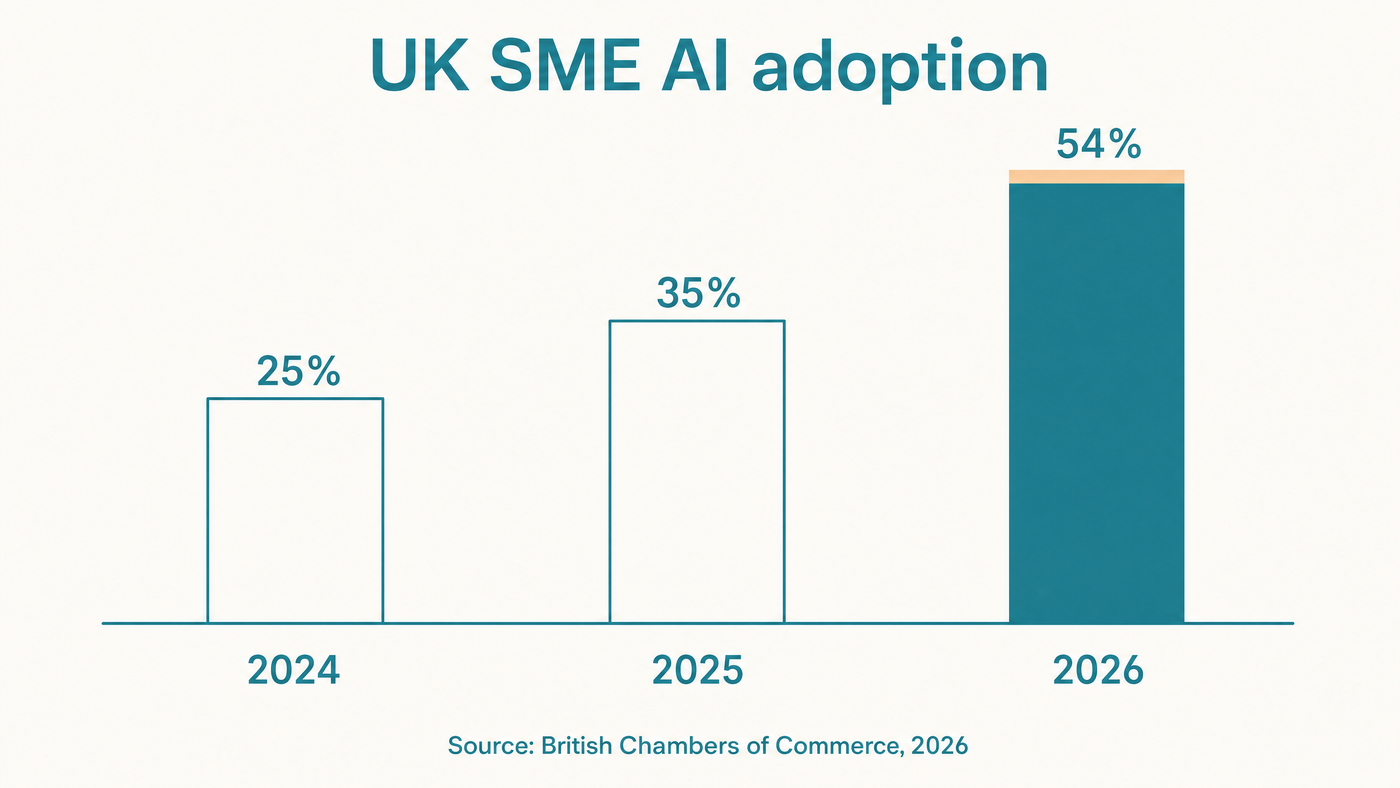
You check every job your AI assistant does. None of it runs without you. Five AI workflows can run without you in 2026, and this guide names them: inbox triage, meeting notes that become actions, a weekly research digest, invoice chasing, and content drafted in your brand voice. It also names the three that only survive inside a demo, and gives you a four-question test to tell the two groups apart before you spend a weekend on setup. The usual advice assumes a team, a budget and an integrations engineer; if you work alone or with a handful of people, your list is shorter and more valuable. Adoption is not waiting, with 54% of UK SMEs now using AI, up from 35% in 2025. Start with what a workflow actually is.
What is an AI workflow, exactly?
An AI workflow is a repeatable sequence of steps in which an AI model does defined work at defined points, while a human owns the result. Ask an assistant to summarise one meeting and you have a prompt. Set it up so every meeting recording lands in the same place, gets summarised the same way, and produces actions in your task list, and you have a workflow. The difference is whether the work compounds: a workflow gets better each cycle because the instructions persist.
Adoption has moved faster than understanding. In the UK, 54% of SMEs now actively use AI, up from 35% in 2025 and 25% in 2024, and 86.4% of marketing teams report using it in at least a few areas. Very little of that is AI workflow automation in the sense above; it is ad-hoc prompting. Turning one into the other is where agents come in.
How do AI agents work without supervision?
AI agents work by looping: read the goal, choose a tool, act, check the result, and repeat until the job is done or the agent is stuck. An agent is software that has been given a goal, a set of tools such as your inbox, calendar or publishing system, and permission to decide the order of steps itself. That last part separates it from a workflow you trigger by hand.
The loop also tells you where agents fail. They fail at edges: an invoice in an unusual format, a customer with a genuine grievance, a judgement call with no written rule. The sensible pattern is therefore narrow permissions and a human checkpoint wherever an error would reach a customer. Hold that in mind while we look at what actually works solo.
AI agent examples that hold up when you work alone
Five workflows reliably run for a single operator in 2026, on tools you already have.
- An agent triages your inbox, drafting replies for the routine half and flagging the rest, so you review in minutes rather than write from scratch.
- Meeting recordings become summaries, decisions and task-list entries without your involvement.
- A weekly research digest becomes close to free, because assistants research by fanning one question out into dozens of parallel queries.
- Overdue invoices trigger polite, escalating reminders on a schedule you set once.
- A brand-trained content agent drafts articles from your positioning, briefed on who you serve defined by their state rather than their job title, and you edit instead of write.
The last one carries the most leverage, because a blog post keeps working for years while a social post dies in hours, and because 51% of B2B software buyers now start product research inside an AI chatbot. Not everything with a demo video belongs on this list, though.
Which AI workflows are demos dressed as products?
Three heavily marketed workflows do not hold up for a solo operator: fully autonomous sales outreach, unsupervised customer support, and the multi-tool business-in-a-box automation. Each works in a demo because the demo controls the inputs. In your business the inputs are messy, and the cost of one bad output, a tone-deaf pitch or a wrong warranty promise, lands on your reputation.
The adoption data backs this up. Among UK SMEs already using AI, 95% report no impact on workforce size over the past year, which is what task-level automation with human review looks like at national scale. Full function-level autonomy remains a demo for a business your size. You need a way to tell which side of that line a candidate workflow sits on.
Run the four-question solo test
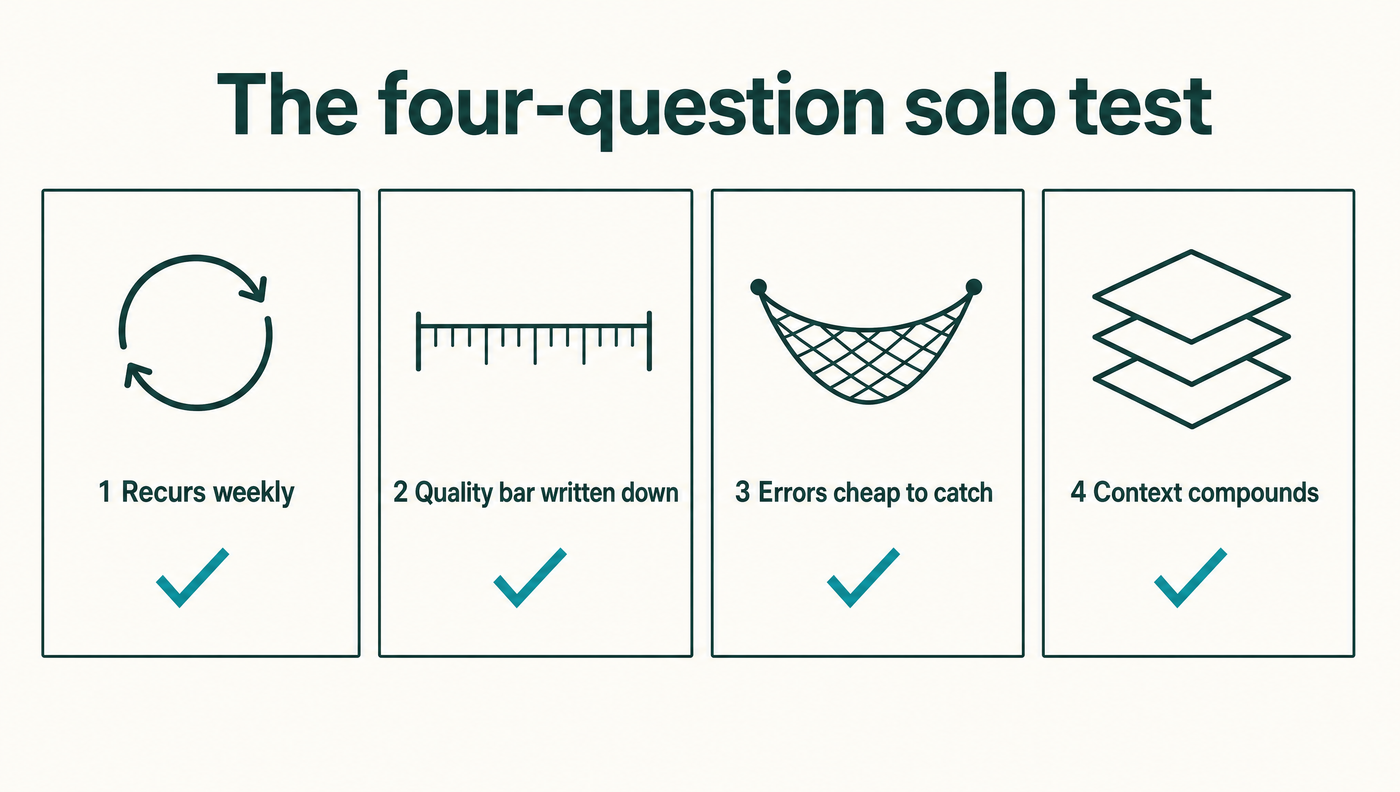
A workflow is worth automating when it passes all four of these questions.
- Does it recur at least weekly? One-off work never repays setup time.
- Can you write the quality bar down as a checklist someone else could apply? If you cannot, an agent cannot meet it.
- Is a bad output cheap to catch before it reaches a customer? Drafts you review pass; live replies do not.
- Does the output improve as the system learns your context? Prefer workflows where corrections persist.
Content production passes all four for any business that publishes, which is why it is usually the right first candidate; whether to run it with a tool, an agency or an agent is a separate decision with its own five-minute test. What matters here is that the economics are knowable up front, right down to the cost per published article.
If content is the workflow you would hand over first, Apex is a brand-trained content agent that runs it end to end, with you as the editor.
What can AI agents do for you next?
What AI agents can do for you depends on the stage you are at, and there are only three. AI-enabled means you use assistants ad hoc; the work helps once and evaporates. AI-first means the default path for a recurring job runs through an agent and you review the output. AI-native means the system runs, learns from your corrections, and calls for you only at the edges.
If you recognised yourself in the opening line, you are AI-enabled. The move up is to take one workflow from the list above, write its quality bar down, and make the agent the default path for four weeks. Once your content workflow is live, it is worth checking the work is landing, including whether AI assistants themselves mention you. One workflow, made AI-first, teaches you more than any listicle.
Where this leaves you
The workflows one person can automate in 2026 are fewer than the listicles claim and more valuable than they look: triage, notes, digests, chasing and content, each with you as reviewer rather than operator. The demos that need a team can wait until you have one. Your next step takes an hour: run the four-question test across your working week and pick the workflow that passes most cleanly. For a business that publishes, that is almost always content, and it is the workflow voholabs built Apex to run: brand-trained, edited by you, compounding while you do the work only you can do.
Pick one workflow and make it run.
References
Frequently asked questions
- What is the difference between an AI workflow and an AI agent?A workflow is a fixed sequence you trigger, with AI doing defined work at defined steps. An agent is software given a goal and tools that chooses its own steps, looping through act, check and repeat until finished. Solo operators get the best results from agents constrained inside workflows: the agent drafts, a human reviews.
- Which AI workflow should a solo business automate first?The one that passes the four-question test most cleanly: it recurs weekly, has a quality bar you can write down, its errors are cheap to catch before customers see them, and it improves as the system learns your context. For businesses that publish, content production usually passes first, followed by inbox triage and meeting notes.
- Do I need to code to build an AI workflow in 2026?No. The five solo workflows in this guide run on mainstream assistants and off-the-shelf agents with saved instructions rather than custom code. What you do need is written context: your quality bar, your positioning and your review step. Setup is an afternoon of writing, not a development project.
- How do AI agents work in simple terms?An agent runs a loop: read the goal, pick a tool, act, check the result and repeat until the job is done or it hits something outside its rules. It is only as good as the tools, permissions and written context you give it, which is why narrow scope plus human review beats broad autonomy for a small business.
Sources
- 2026 State of Marketing: Data from 1,500+ Global Marketers· HubSpot
- Half of SMEs Using AI, With Limited Headcount Impact So Far· British Chambers of Commerce
- The Answer Economy: G2's 2026 AI Search Insight Report· G2